Listen Before It Dies: What Your VCR Is Trying to Tell You Right Now
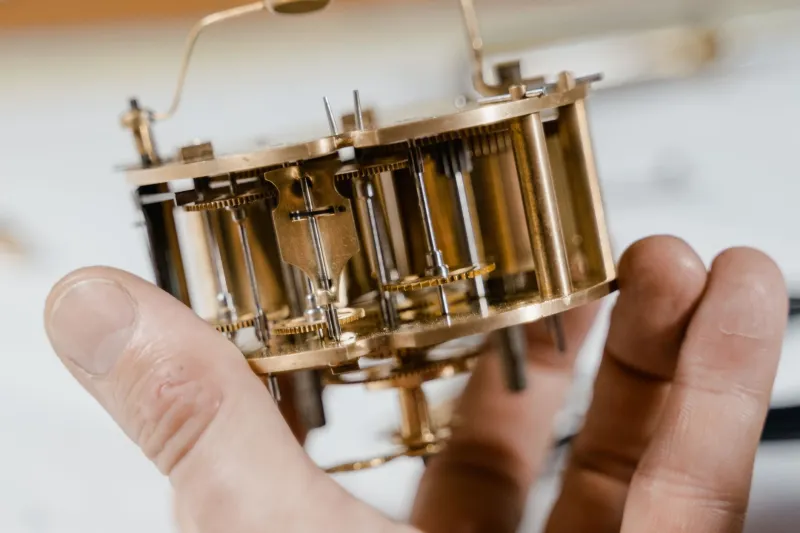
There's a moment every collector knows. You slide a tape into a machine you haven't used in a while, hit play, and instead of the familiar whir of a healthy transport, something else comes out. A grinding noise. A hesitant click. A sound that makes your stomach drop just a little. You tell yourself it's probably fine.
It's probably not fine.
VCRs are mechanical animals, and like any machine with moving parts, they communicate their condition through sound. The problem is that most of us were never taught to listen. We grew up pressing play and walking away. But if you're serious about preserving tapes — whether they're family recordings, rare releases, or irreplaceable one-of-a-kind dubs — learning to read your machine by ear might be the most valuable skill you can develop.
We talked to a handful of VCR repair specialists and veteran collectors across the country to put together a practical guide to what your machine is saying, and what to do about it.
The Baseline: What a Healthy VCR Actually Sounds Like
Before you can identify a problem, you need to know what normal sounds like. A machine in good working order produces a low, steady hum when it's idling in standby. When you load a tape, you should hear a smooth mechanical engagement — the cassette carriage dropping, the tape path threading cleanly. Pressing play introduces a gentle whirring as the capstan motor spins up and the take-up reel begins pulling the tape through.
The overall impression should be quiet confidence. There's motion happening, but it's controlled and even. If you close your eyes, a healthy VCR sounds almost like a small, content appliance doing exactly what it was built to do.
"People forget these machines were precision instruments," says Marcus Delray, a VCR technician based in Portland, Oregon, who has been repairing consumer video equipment for over twenty years. "The tolerances are tight. When everything is lubricated and aligned, they run smooth. When something's off, the machine tells you. You just have to pay attention."
The Grind: When Your Capstan Motor Is in Trouble
The capstan is the metal shaft that pulls tape through the transport at a precise, constant speed. It's one of the most mechanically stressed components in any VCR, and when it starts to go, you'll hear it.
A low grinding or growling sound during playback — especially one that fluctuates in pitch — is often the capstan motor struggling against worn bearings. In some cases, the noise appears only at the beginning of playback and smooths out as the machine warms up. That's not a good sign either; it just means the bearing grease has dried out and is temporarily redistributing under heat.
Left alone, a failing capstan bearing will eventually cause the motor to seize. When that happens mid-playback, the tape keeps moving from reel momentum for a fraction of a second while the capstan stops — and that's when you get the dreaded tape wrap, where the tape bunches up inside the mechanism.
If you hear grinding, stop using the machine on anything you care about and get it looked at.
The Click: Head Drum Issues and What They Mean
The rotating head drum is the spinning cylinder that actually reads the magnetic signal off your tape. It spins at a very high speed — typically 1,800 RPM in standard NTSC machines — and it needs to be perfectly balanced and clean to work correctly.
A rhythmic clicking or ticking sound during playback, especially one that syncs loosely with the picture quality on screen, often points to a head drum problem. It could be debris on the drum surface, a worn drum bearing, or — in older machines that have seen heavy use — physical wear on the video heads themselves.
"Clicking from the drum is one of those sounds that people ignore for way too long," says Renata Coelho, a collector and part-time repair hobbyist based in Austin, Texas. "They figure the picture still looks okay, so what's the big deal? But the heads are wearing every time you run a tape. Once they're gone, the machine is basically a tape transport with no read capability. You can't un-wear a head."
Head cleaning cassettes can address minor debris issues. Actual drum bearing problems require professional service. Physical head wear, unfortunately, often means sourcing a replacement drum — which gets harder every year as parts supplies dwindle.
The Squeal: Pinch Roller and Belt Deterioration
If your machine produces a high-pitched squealing or squeaking during playback, your first suspect should be the pinch roller. This rubber wheel presses the tape against the capstan and is one of the components that degrades fastest in aging VCRs. Rubber hardens, develops flat spots, and loses its grip over time.
A worn pinch roller doesn't just squeal — it also causes speed inconsistencies that show up as wavy, unstable video. If the audio sounds slightly warbled or the picture has a subtle horizontal shimmy, the pinch roller is worth inspecting.
Belts are another culprit. Most VCRs use rubber drive belts to transfer motor power to various mechanisms, and these belts stretch, crack, and harden with age. A slipping belt can produce a faint squealing or chirping, and in some machines, it causes intermittent loading failures or a take-up reel that doesn't engage consistently.
The good news: pinch rollers and belts are among the most accessible repair parts in the VCR world. A competent hobbyist with the right tools can often replace both in an afternoon.
The Thunk: Mechanical Misalignment and Loading Problems
A heavy, dull thunk during cassette loading — or a grinding sensation you can feel through the machine's casing — usually signals a loading mechanism problem. The cassette carriage, the threading arms, and the mode switch all have to work in precise sequence when you insert a tape. If any of those components are worn, dirty, or out of alignment, the machine will let you know.
Some loading failures are caused by nothing more exotic than dried lubricant on the threading arms. A careful cleaning and re-lubrication with the right grease (not WD-40, please — it's the wrong viscosity and it attracts dust) can restore smooth operation. But a thunk that comes with resistance, or a machine that repeatedly fails to thread tapes fully, may indicate a stripped gear in the loading mechanism — a more involved repair.
The Meditative Side of Listening
Here's something the repair specialists we talked to mentioned almost without prompting: there's something genuinely calming about learning to listen to a machine this way.
In a world where most of our devices are sealed black boxes with no moving parts and no audible feedback, the VCR is almost aggressively transparent. It tells you what it's doing. It tells you when it's struggling. It rewards patience and attention in a way that feels increasingly rare.
"I'll sit with a machine for a while before I even open it up," Delray says. "Just run it through its paces, listen to every stage of operation. By the time I pick up a screwdriver, I usually already know what I'm going to find."
That's a skill worth developing, whether you're a serious restorer or just someone trying to keep a beloved machine running long enough to digitize a box of old tapes. Your VCR has been talking this whole time. It might be worth finally listening.
A Quick Reference: Sounds and What They Suggest
- Low grinding during playback — Capstan motor bearing wear; stop use and service soon
- Rhythmic clicking in sync with picture issues — Head drum debris or bearing wear; inspect and clean
- High-pitched squeal — Pinch roller hardening or belt slippage; common repair, relatively accessible
- Dull thunk during loading — Loading mechanism misalignment or dried lubricant; may need cleaning or gear inspection
- Intermittent motor hesitation — Belt stretch or take-up reel clutch wear; monitor closely
- Silence where there should be sound — Motor failure or severe belt breakage; machine needs service before use
Your tapes are only as safe as the machine playing them. Give yours a listen.